A woman at home checking helpful information on her phone at a lived-in kitchen table

Agentic AI,without becomingan AI expert.

Core Team gives advanced AI a more familiar doorway. Choose a specialist by the job, explain what you need and keep control of the decisions that matter.

Nia · Appointment coordinatorDentist appointment foundTwo suitable times · approve
Sena · Tax paperworkYour records have been checkedTwo documents still missing
Dara · Bills and renewalsBroadband options comparedOne decision needs you

A specialist for the things that fill your day.

Choose help by the work you need. Each specialist has a clear role, useful context and the right tools—so you can explain the situation normally.

MarcoCooking assistant
Working
  • Finds recipes from what you have
  • Rescues a dish from a photo
  • Adapts meals for dietary needs
SamSpanish tutor
Working
  • Practises real conversations
  • Checks voice-note pronunciation
  • Builds short targeted quizzes
IvanHome repair expert
Working
  • Reads photos and error codes
  • Compares repair quotes
  • Checks warranties first
NiaHealth companion
Ready
  • Prepares appointment questions
  • Organises reports and results
  • Tracks the follow-up
DaraBills and renewals assistant
Working
  • Tracks renewal dates
  • Compares total contract cost
  • Prepares switches and cancellations

Advanced AI still assumes too much.

Core Team reduces that barrier by organising capability around familiar jobs—at home, in school, behind a shop counter and inside a working day.

Mei preparing catered food in her kitchen
Catering businessMei
  • Plans menus and portions
  • Compares ingredient costs
  • Tracks orders and delivery times
Jack studying with notes at his desk
High-school studentJack
  • Creates personal quizzes
  • Checks photographed answers
  • Plans revision around exam dates
Mehul checking stock in his grocery shop
Grocery shopkeeperMehul
  • Tracks fast-moving stock
  • Compares supplier prices
  • Creates local promotions
Fatima organising project notes in an office
Project managerFatima
  • Prepares meeting notes
  • Tracks owners and follow-ups
  • Builds weekly status updates

Start with the right kind of help.

Go directly to a specialist when the work belongs to one domain. Choose a team when the outcome needs several specialists working together. Either way, you begin with capability—not a blank chat box.

Omar

Paperwork specialist

For a clearly defined domain: letters, forms, missing records and filing preparation.

  • Checks what is already on file
  • Finds missing evidence
  • Prepares decisions for approval
Open Omar in the demo

Home HQ

Five coordinated specialists

For a larger outcome: keeping the recurring work of running a home in one coordinated place.

  • Shopping and meals
  • Bills and renewals
  • Repairs and appointments
Open Home HQ in the demo

Find. Brief. Track.

The whole journey is visible: find the capability that fits the task, explain the situation and follow the work through to a decision or outcome.

1

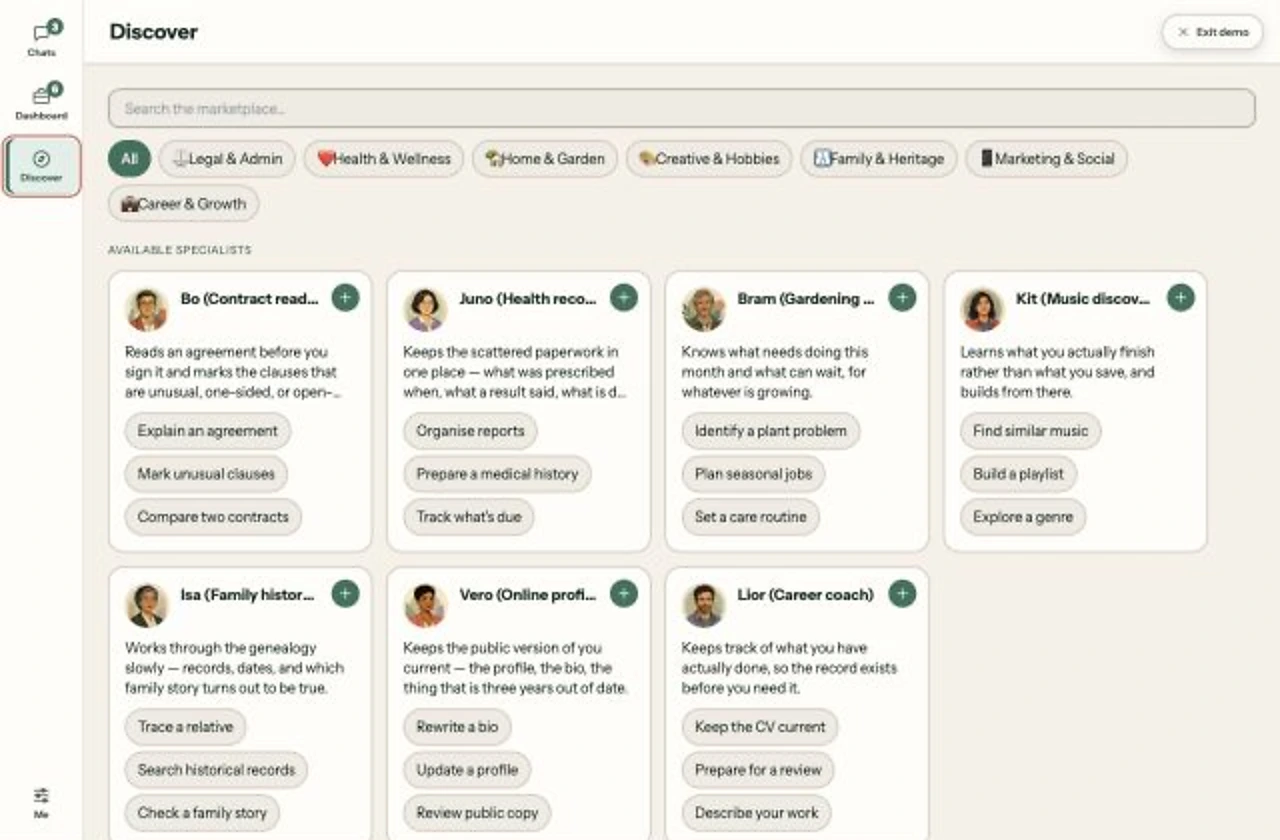
Find the right help

Browse specialists by role and capability.

Core Team Discover screen showing specialists
2

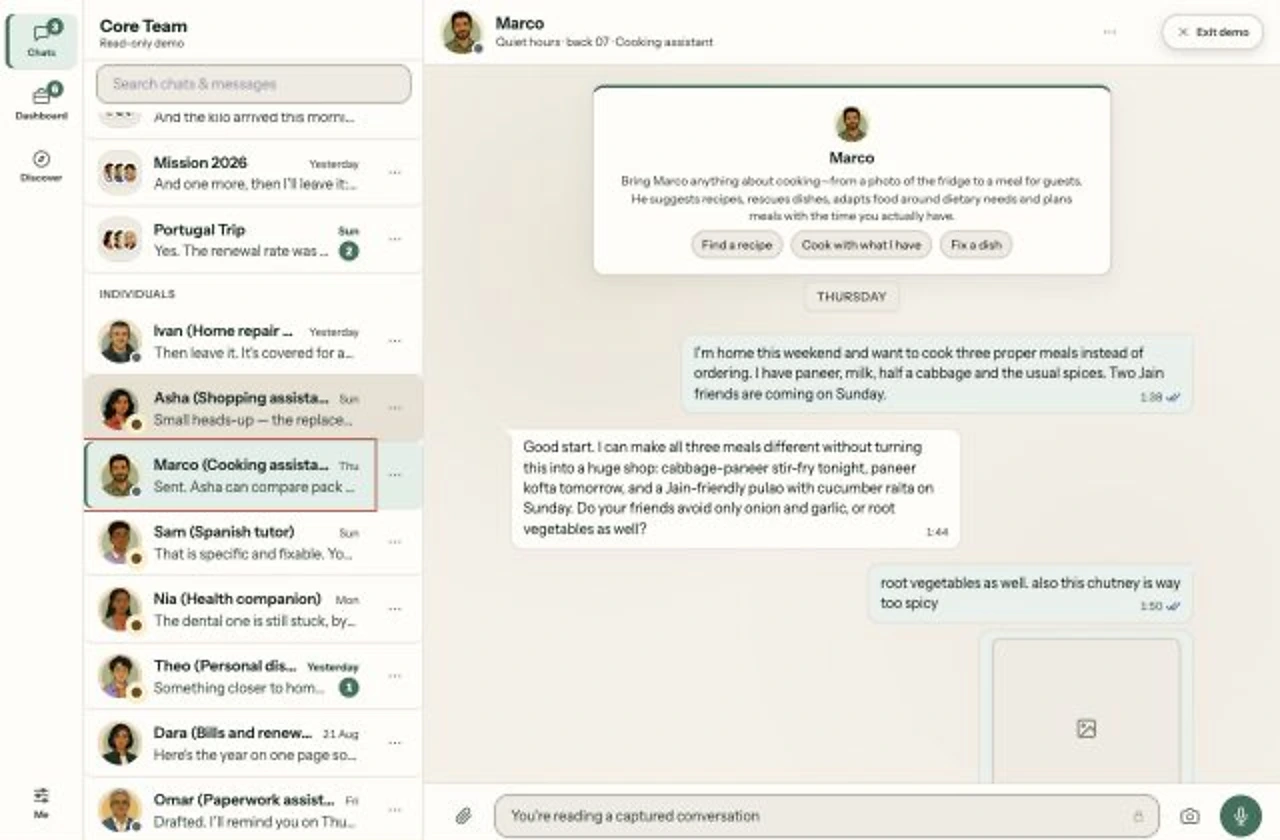
Explain the situation

Send a message, photo or voice note.

A conversation with Marco, the cooking specialist
3

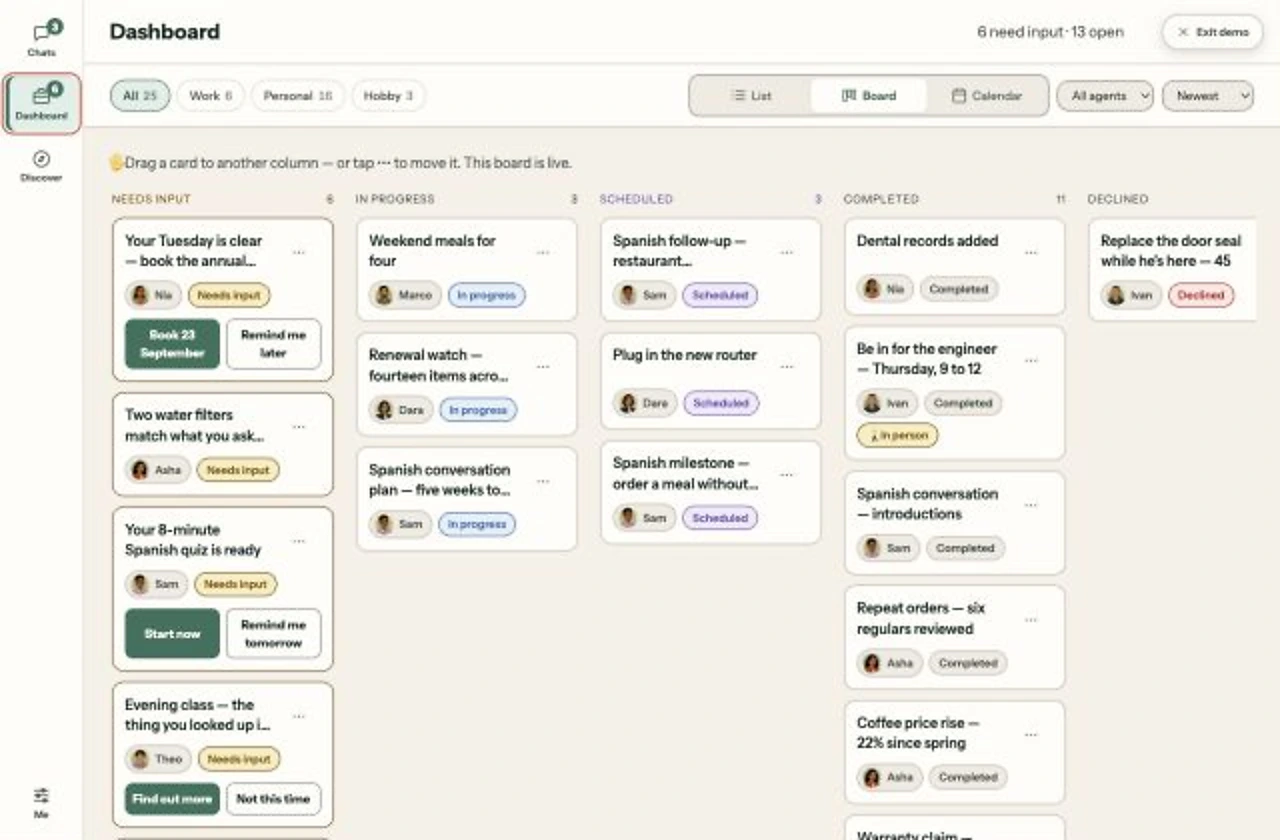
Track what happens next

See progress, approvals and completed work.

Core Team dashboard showing progress and decisions

Don’t take our word for it.
Use the product.

The sample begins halfway through a real piece of work. Open the workspace, inspect what the specialists have done and decide what should happen next.

Hi, I’m Chinmay Phatak.

I’m a UX designer exploring how agentic AI could become useful without asking people to assemble and operate complex systems.

I have experienced that setup burden myself and seen the same barrier keep other people inside basic chat. Core Team is my attempt to design a more familiar doorway.

Core Team is a self-initiated design project; the demo is a working prototype built to test the idea.